GittingToIt: Version control for writers
My newest vibecoded app has a terrible name, GittingToIt, but a great use case: Version control for writers.
I've got a novel that I've been working on for over a decade. Mostly I don't touch it, but sometimes I come back to it. I'm always baffled by how I have its files managed.
Then there's short stories I've written that only ex-girlfriends have ever seen. The fact that they have seen them might be why they are exes! Regardless, these stories still make me come back. I want to believe in them. I work on them sometimes.
Forking for writers
Here's something I do: I create new versions. I'll make a copy. Change something about it. Give it a different name. Different file format. Who knows how far I get with it? Maybe I never finish what I wanted to do. Months later. Years later. I come back. Why are their three copies.
Maybe I do too much work on the wrong one. Or maybe I change one a way I shouldn't? What can I do.
Enter: version control.
Version control gives you an undo bottom.
Edit notes
A version control client can also force you to log why you've made a copy of a piece of writing, what you did to and which one is the most up to date.
In fact, we take this future. I know sometimes when I'm working on a document, I want to log something about what I'm trying to do, what I'm working on, but it feels weird to put that in the document? Where should you put notes like that?
GittingToIt has a diary function, ready to keep an associated record for every file. Every time you select a file in the client and click "Make Note" it opens up a text file that's autopopulated with the date and time. This is a great place to put some kind of documentation that you want to remember about your work. Like: "Restacked the order, moving several paragraphs from the bottom up to the top — realized that it might be better to start there than end there." That kind of thing.
Peer into the past
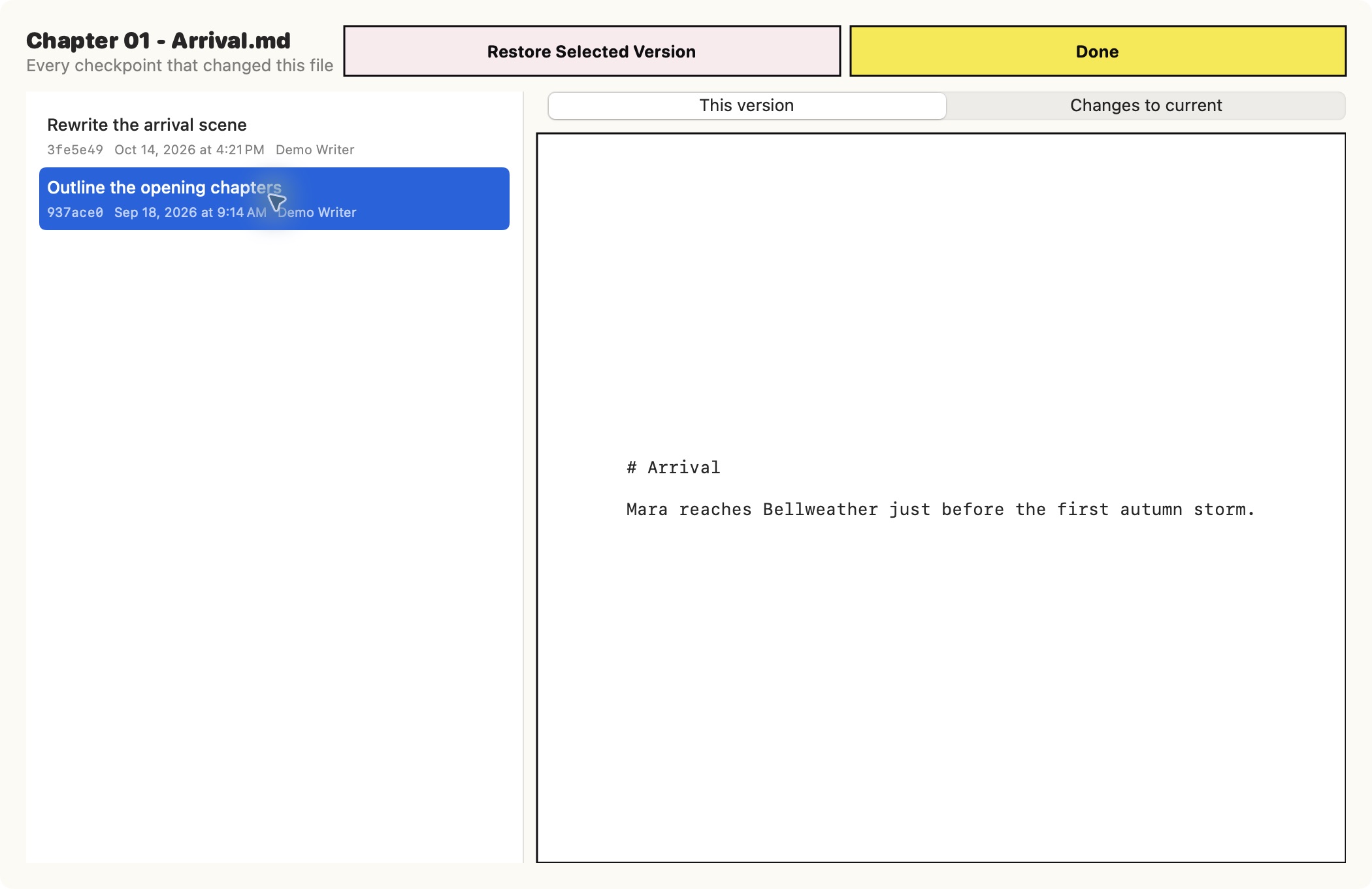
Click on File History for any file and you can see every version that has ever been committed. It will show as a text file in the app. So you can review past versions precisely.
If you like a past version or just want to review it in an app meant for writing, no problem. Click "Fork this version." That will make a copy of the file for you without changing your latest version.
And, of course, it will ask you to log a note about why you made that copy.
Git with it
GittinToIt is a client that is built on Git, the version control system used by software developers (the software that Github is built on) but opens up its power specifically for us non-technical writers. It makes it easy to put Git into a file of writing, track changes over time, log what you worked on from day to day and, crucially, it gives you a way to document it when you make a copy of file so you can work on a slightly different version of the piece. With that documentation, you can make sense of it later.
I have wanted something like this for a long time. I have lost too much writing to disorganization. I once found a paid service online, but it was to pricey for me at the time. And I didn't trust it to go away.
I taught myself Git at one point, but my brain just doesn't hold onto that kind of thing well. I have to really stick with using it a lot.
In reality, I found myself only ever really logging commits, but never really rolling back changes or looking at past versions. That was too hard, I had to look up how to do it every time. GittingToIt puts the versions of Git that are the most useful for writers into a user friendly interface. You don't have to remember how to use Git. GittingToIt does all that for you.
But you will have a nice record of every day of editing and the ability to turn back the clock any time you need. And — if you keep your notes up — you'll always have a way of answering the question: "What the hell was I thinking?"
—Brady Dale
October 20, 2026