Blynger 0.14.0
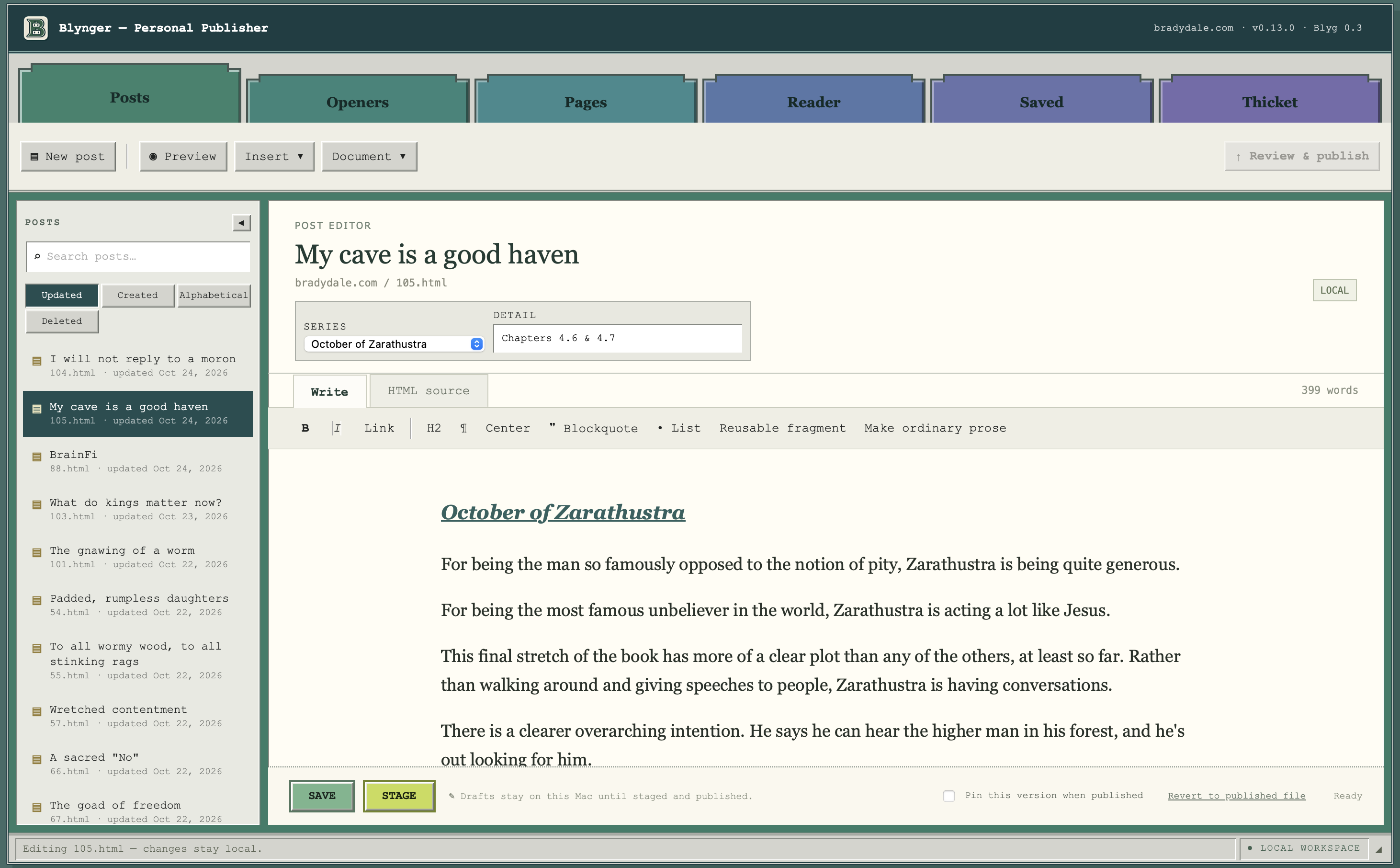
The custom app that I use to edit this site has been updated quite a bit. The app is called Blynger. It's completely open source.
It's called Blynger because it's based on the Blygger protocol, which is a new and developing blogging protocol meant to incorporate AI not just into the writing but into every part of the blogging, reading and wayfinding experience.
This site was hand-coded years ago. It was updated using Git. That was all fun for a while, but it got hard for me to keep track of how to actually do it. So if you scroll down you might notice that there's a huge gap in updates on the blog part of the site, because I just couldn't be bothered for a while.
What I needed was a local app to update it with, but I didn't have any coding skills. Even if I did, building something like that takes a lot of time. I wasn't going to do it.
So obviously Blynger has been vibecoded. Vibecoding has been a great experience. I've gotten way too addicted to vibecoding.
Right now, Blynger can do a bunch of things.
Write static blog posts
Static pages load super fast. There's no database to check in with. There's no baggage on the page. They are straight HTML, so they are always responsive. If you want a site that doesn't spy on its visitors, static is a great option.
- Blynger supports two kinds of posts. Quick, punchy posts with no title (I call those "openers") and then full traditional posts.
- These show up in different places on the website, but anyone who subscribes to the RSS feed gets them in reverse chronological order as if they are the same.
Read blogs
Blynger has an RSS reader built in, so if writers publish a feed that can be remotely accessed, you can fetch it and read it in one spot, without bouncing around to different sites.
Track reactions
Blynger keeps a local, private record of your reaction to different content in your reader. There's a "save" option, for posts you want to be able to find again, and there are various emoji reactions you can make. All of this is saved on your computer, in a file separate from Blynger.
The reason for the reactions is eventually Blynger will have a small local AI model built in. This will be used to help you understand what you're reading and maybe eventually to help you find other content.
- The AI model is on the to-do list. So far, we're just making a repository of data for it to peruse one of these days.
Manage a static site
The quirk of my site is that it's not a pure blog site. It's also my portfolio. And just sort of my address on the internet. That means that there are several pages that aren't part of the blogging framework that Blynger needs to manage. And it does.
Engage with other blogs on the blyg protocol, also known as the Thicket
The Blygger protocol is meant to make blogging more interactive and iterative again, sort of like it once was but also to bring in new wrinkles. Rather than reacting to someone's content on a platform, every blyg blog is its own domain. It can respond to other blogs in various ways, but that content loads up on your own site.
- Notifications exist in Blygger tho, using Webmentions. Those were recently successfully incorporated into Blynger. For now, Webmentions are only visible in the client. It tracks which sites I send Webmentions to.
- And I can see who reacts to my content, but I don't publish that yet. I want to give it some time to see how Webmentions evolve in the Thicket first.
Blynger has already been through three entire design phases. I'm pushing to keep the look somewhat old school, while still having contemporary functionality. I think it looks cool, but I have weird tastes.
I'd love to see what happens if other sites start running with Blynger. Stub me if you try it!
Get Blynger on Github
Blynger is a static personal website manager with Blygger interoperability built in.—github.com
—Brady Dale
October 24, 2026
Versions · current v1 ·
- Version 1 · frozen pin — Imported from 106.html